Showing posts with label Facebook Tricks. Show all posts
1.Create Fake Facebook Likes, Comments and Status using - Wall Machine
Wall Machine is a awesome website which allows us to make Fake Facebook status and conservation easily.You may add fake likes, comments and much more to it.Try it yourself and fool others with this awesome trick.
2.How to Send Colourful Text in Facebook Chat:
Facebook has restricted its user to chat in black text due concerns of server overloading and speed. But now you are no longer bound to chat in black text. There are some special codes for you that empower you to send colourful text in chat. This trick is solely based on the fact that when profile ID’s are inserted in between square brackets, it automatically transforms into the profile picture. These ID’s are specially created for this purpose.
You can also send messages in colourful text but these codes will not work in Status update. This will also not work if the other person is using chat from his mobile.
Here is the list of codes with their alphabets.
[[107015582669715]] = A[[116067591741123]] = B
[[115602405121532]] = C
[[112542438763744]] = D
[[115430438474268]] = E
[[109225112442557]] = F
[[111532845537326]] = G
[[111356865552629]] = H
[[109294689102123]] = I
[[126362660720793]] = J
[[116651741681944]] = K
[[115807951764667]] = L
[[106596672714242]] = M
[[108634132504932]] = N
[[116564658357124]] = O
[[111669128857397]] = P
[[107061805996548]] = Q
[[106699962703083]] = R
[[115927268419031]] = S
[[112669162092780]] = T
[[108983579135532]] = U
[[107023745999320]] = V
[[106678406038354]] = W
[[116740548336581]] = X
[[112416755444217]] = Y
[[165724910215]] = Z
To create a word of colourful text copy the codes of alphabets and make sure to insert single space between the each alphabetic code. Here is the code for
See an example for COMPUTER TRICKS:
COMPUTER:
[[115602405121532]]
[[116564658357124]]
[[106596672714242]]
[[111669128857397]]
[[108983579135532]]
[[112669162092780]]
[[115430438474268]]
[[106699962703083]]
TRICKS: [[112669162092780]] [[106699962703083]] [[109294689102123]] [[115602405121532]] [[116651741681944]] [[115927268419031]]
Enjoy !!
3.Chat with or block chat for selected friends on Facebook !
Follow these steps :
Step 1: Open your account on Facebook.
Step 2: Click on the “Chat” option which is present on the
lower right side of your profile.
Step 3: There you will find an option called “Options”. (see the image below)
Step 4:
There you will find an option for “Advanced Settings”, clicking on which gives you an interface where you can set with whom you want/don’t want to chat.
There you get three options :
a. Turn on chat for all friends except..(List those names with whom you dont want to chat).
b. Turn on chat for only some friends..(List only those names with whom you want to chat).
c. Turn off chat.
Step 5: Click Save and its done!!
4.How To Identify Fake Accounts on Facebook ??
Trick #1 : Notice Status Updates, Photos & Comments
It is very easy and most common way to judge whether the account is fake or not. You should look for the status updates of the relevant account. If the account is fake, he/she will not care for the status is good or bad. So, You can simply notice a fake account by keep looking for their status updates.Another facts are the photos and comments. You should point out the comments leaved by the user you want to check out whether is real or not. You should also keep looking for the photos, he/she is posting on their wall. You should also check out the photos on their Facebook profile, if their exists only one photo of an individual person, that account may be fake.
Trick #2 : Keep Looking Recent Activities
You should keep looking the recent activities of suspicious account. You should check out whether that user is making new friends continuously and having no page likes and no groups added. Such types of activities indicates that the user is not real person and running a fake account. You should ignore such type of accounts.Trick #3 : Check Out The Friends List
It is also a most important issue to find out a fake account on Facebook. As usually, maximum fake accounts are of the girls profiles. Generally, you should check out the friends list of that person and if you found maximum number of friends of opposite gender, it means the profile is used for fun and that’s why it’s a fake account.Trick #4 : Check Out Basic Information
Check out if there is no ideal links regarding any school, institution or workplace in their profile and that user is looking for dating and interested in men or women, it is supposed to be a fake account. Another doubt is that no girl will show their contact number in the profile, so if any do so and not other useful info, it may be a fake account.Trick #5 : Go For a Trial Chat
If you received any friend request and have any doubt that the account is fake, accept the friend request and go for chat with the relevant person. If you received any odd reply (like Do you have any boyfriend, Are you single or more..), it is a fake account for sure. You can just un-friend and block that person from your Facebook profile.5.How to Track Who Views Your Facebook Profile....?
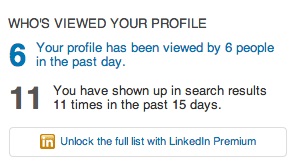
Why can't I see who is stalking my Facebook profile?There are other social networks that do let you see who's viewed your profile, mainly LinkedIn and its "Who's Viewed Your Profile" feature.
While there isn't a built-in feature to see who exactly has checked you out, you still might be able to get some information on how often your Facebook friends are viewing your profile.
Thanks for visiting my blog.
22:34

Do you know there are over thousands of websites and software that claim to hack Facebook password of any account? They'd ask you the victim's profile ID, maybe your credentials and some money too and will reportedly tell you the password which, to be honest, never works. Ever wonder why? Let me tell you why, they're FAKE! They're a scam which tricks you somehow in losing your money or your own Facebook account. Just give it a thought, why would Mark Zuckerberg(Founder) and his team spend Billions of Dollars on Facebook if one could hack it in less than a minute? Today, we'll take a look at this topic in detail with some example websites and software and get answers to some common related questions.
Back in 2005, I came across a mechanism that reportedly hacked Yahoo mail password for a user using some simple tricks. It didn't work for me for obvious reasons but I didn't stop believing the possibility until I grew up to realize how helpless I am here. One of the major concerns of large organizations like Facebook and Yahoo is security because of the super sensitive information about people they have. Several hundred million dollars are spend yearly by these organizations to ensure security and then there's these websites that claim to undo all that protection in less than a minute.
The Facebook password cracking Websites and Software
Let's start with some examples here. I googled the subject and picked the top results without order. Didn't care to search harder because there are thousands such and I know that all are FAKE.
So let's look at this GETFBHACK.com.
Their FREE Facebook hacker program is said to be capable of cracking the password of any Facebook user within a day. Sounds cool, I could try it out, but my Norton Antivirus rejected the file straight away.
I also picked up another one. This Hack-Fbook-Password asks me to enter the profile ID of a user and it will crack the password. I said Okay and began the process.
It ran certain algorithms to determine the password and finally landed me on a page that said I could DOWNLOAD the password IF I fill an online survey first. Those of you who've been redirected to surveys would know they don't work and are put just so to get traffic and earn money.
I said maybe I should leave the website now but hey, they gave me a prize!
So I just became the luckiest person in my city just like that!
Now tell me, how can a sane person believe in all this?
The truth!
Let me get this straight to you, these websites do nothing at all just waste your time and are never able to do the job. In fact, downloaded programs just make the situation worse when you run them. I had my Norton Antivirus to guard me otherwise I could be in severe danger currently.
These software are mostly keyloggers and tracking programs that record your keystrokes and action and steal personal information from your computer in the background and send it to their master servers. So ultimately a hacker wannabe gets hacked, how ironic!
From now on in the post, I'll be using the word 'Hacker' for these websites and software since you're no more in the position to be called that.
Why do these 'Hackers' do all that?

Setting up websites, maintaining them and developing software is not an easy task. It requires some money. So why do these 'hackers' do all the hassle? It's because they get equivalent or more money in return. They can extract your credit card details and other banking info from your system and use it for their advantage. They can hack your account and use it for wrong purposes. Give me one reason why one wouldn't steal money and hack accounts for no loss.
Why people fall in their webs?

Why do people try to use such unreal hacking procedures? It's because it's unreal to me, it's unreal to you but not to those who are not much familiar with the working of a software. They get in the web of these hackers and eventually get screwed up pretty bad without consent.
The websites give guarantees and also portray their 'imaginary' happy customers so as to trick a reader. Such tactics are simple but really powerful and serves to their advantage in most cases. This is also why there are thousands of such websites available.
So is Facebook account an 'unbreakable fortress'?

Well, NO. Facebook accounts can be hacked. No online service is foolproof and that is because of the flaws and bugs in their software. There are several ACTUAL hackers in the world who can analyze a website's security and use that against it thus making hacking a reality.
But I'm 100% sure none of them uses these scam and fake websites that claim to do the impossible. You can check out our hacking section to know more.
I'll end the 'lesson' with an idiom, "look before you leap". Focus, think and then follow. In case of any queries or confusions head over to the comments section. Cheers :)
23:37
Cool Facebook Status, Chat Tricks and Tips
Most of us use Facebook to interact with some of our long separated friends but that does not mean we cannot have fun on Facebook. Here is a collection of tricks, tips and Easter eggs you can use to enjoy your experience on Facebook.Facebook Easter Eggs: Pirate Language ,Turn Facebook Upside Down
Facebook is not as famous for its Easter eggs as Microsoft, but that does not mean that Facebook's Easter eggs are not entertaining. The one which I especially find interesting is the Pirate Language trick. To enable Pirate Language in Facebook, login to Facebook, click on the down arrow at the right of the top navigation bar, click on Account Settings, click on Edit at the right of the Language option, and in the Primary Language dropdown menu, select English(Pirate) located somewhere near the bottom and be the captain of your Pirate Ship.| Blabber t' yer mates |
Similarly, you can also turn Facebook upside down by selecting English(Upside Down) from the Languages dropdown. This will flip the entire Facebook interface but your status updates would still be "normal".
| See. Mark Zuckerberg does know how to headstand. |
Chat on Facebook in your Firefox sidebar while browsing other Websites
To do this, you need to bookmark http://facebook.com/login.php. Then click on Show all Bookmarks (Manage Bookmarks in older versions) in the Bookmarks menu, then locate the newly created bookmark, single click on it, then click on more in the footer, then check Load this bookmark in Sidebar. Now, you can open that bookmark in Firefox's sidebar and keep on browsing other websites too.Show Facebook Status Updates only to Specific People or Hide them from someone
Facebook gives you the option to show your status updates to everyone or only your friends. You can further optimize Facebook so that your status updates are shown only to people you wish. Go to Privacy Settings by clicking the Settings icon at the right of the top navigation bar and clicking Privacy Settings. Then, in the Who can see my stuff? section, click on "Who can see your future posts?". Then, customize who you wish to show your posts by clicking on the down arrow that appears next to the Post button on the non-functional status update box. You can also hide your statuses from specific people by adding their name in the Hide from These section under Custom settings. You can also individually change the audience of your posts. Go to the post whose audience you wish to change and choose a different audience by clicking on the globe icon (which denotes that the post is public).Hide your past posts so that only your friends can see them
Now you can also customize your past posts so that only your friends can see your past activity. To do this, open Facebook Privacy Settings and under the "Limit the Audience for Past Posts" option, select "Limit Old Posts."Tag people in Status Updates, Wall Posts, Comments or Text
To tag someone in text in a manner that a link is created to the person's profile, use the @ symbol. eg. If you wish to tag John Jamison in your comment write @ John Jamison without any spelling mistake. If the person is in your friend list, a link in blue will be automatically created to the person's profile and he would be "tagged".| Facebook text tagging in action |
Write Upside Down, In Bubbles or Inverted Mirror-like text on Facebook
You might have seen many people update their Facebook status saying that "this was the last time they bought a keyboard on eBay" or "they have finally learnt how to update Facebook statuses while doing a headstand" written upside down. Here is how you too can flip text like that and add much more cool effects. Just go to Upside Down Text, uncheck Backwards effect, enter your text and copy the inverted one from the inverted text column and paste it in your status update or chats. You can also write inverted mirror like text by un-checking the upside down effect. To write in bubbles, click on the Bubble Ball text in the top Navigation bar.
e.g. Mirror Effect:- !rorrim a ni deppart ma I !oN hO
e.g. Upside Down Effect:- ɯɐp ʞǝʎqoɐɹp¡
e.g Both Mirror and Upside Down Effect:- ¡poפ ǝɯ dlǝH ˙ʎzɐɹɔ ƃuıʇʇǝƃ sı uıɐɹq ʎW
e.g. Text in Bubbles:- Ⓞⓗ Ⓝⓞ! Ⓜⓞⓡⓔ ⓑⓤⓑⓑⓛⓔⓢ
10:35
How hackers hack Facebook Account & How to stop them?
Facebook is, undoubtedly, the most popular social networking website with more than 500 million active users. Due to its popularity, many hackers (or should I say crackers?) are actively involved in hacking Facebook accounts of unsuspecting users. This article outlines the many strategies that such hackers use to gain access to Facebook accounts of hundreds of users each day and how you can stop them from hacking your account.| Facebook is one of the prime target of hackers! |
Email Address Hack
I have always been puzzled by Facebook's leniency in this matter. All a hacker needs to do is know your email address and he will be displayed a confirmation showing your name even if he enters the wrong password. How easily a hacker can then hack your Facebook account if he 'guesses' your password (if you use a weak password) or answers your security question! This is something I hope Facebook improves on quickly. Until Facebook does so, here are some tricks you can use to protect yourself from this vulnerability.How to safeguard your Email Address?
Just follow these steps:-
- Hide your Email Address from everyone by going to Edit Profile>Contact Information>Clicking on the icon beside your email address> checking 'Only Me'.
- Change your primary email address to a one that is only known to you by going to Account Settings>Email> and changing your primary email to the new one (known only to you) and removing your previous email address.
- For additional security, when in Account Settings, check 'Secure browsing' and 'Send me an email when a new computer or mobile device logs into this account' and click Save.
![]() |
| A hacker at work! |
Phishing
Phishing is one of the easiest ways to trick users into giving out their login credentials. All a hacker does is setup a webpage similar in design to that of the Facebook homepage, attach a server sided script to track the username and password entered and store it in a log. Sending people emails stating that someone tagged a photo of them on Facebook in the same format as Facebook and giving a link below to the phishing website further reduces the chances of it being detected as a fake. Sometimes, spam Facebook apps, like those promising to tell who viewed your Facebook profile, automatically post links to phishing websites. A new trend amongst phishers is creating Facebook look-a-like widgets for stealing user's login credentials.How to prevent yourself from being phished?
At all costs, avoid clicking on suspicious links. Moreover, always check the URL in the address bar before signing in. Avoid logging in through various "Facebook widgets" offered by websites and blogs. Instead, use Facebook's homepage to sign in. Always try to use Safe Search while searching. If you do manage to get phished, report the website so that others may get a warning before visiting it.

Keylogging through Keyloggers
Keylogger is a type of computer virus that tracks key strokes. Keyloggers can be installed remotely on a computer system by a cracker to record all the activity that is going on the victim's computer. Keylogging gets more easy if the hacker has physical access to the victim's computer.How to stop keyloggers?
Install a good antivirus and update it frequently. Do not click on suspicious links and avoid downloading illegal software. Also, avoid installing free toolbars and other such spam software. Always scan third-person's flash and pen drives before using them on your computer.
Social Engineering
Social engineering involves using any trick to fool the user into making himself vulnerable to exploits. This could involve anything from sending spoof emails, pretending to be from Facebook, telling you to change your password to 12345678 to a hacker maliciously getting out the answer to your Security Question in a friendly chat or discussion.How to prevent yourself from being socially engineered?
Stay aware during chats and discussions. Use a tough security question, preferably one whose answer you would never disclose to anyone. Moreover, Facebook, or any other company for that matter, will never ask you to change your password to 12345678 or do something as silly as asking you to send out your login details to prove that you are an active user. Always think before taking actions and your e-life on Facebook will be safe from hackers looking to hack Facebook accounts.
For More Information:-Check My Blog
10:18
Safety and Security Risks When Using Facebook
There is no doubt that the biggest social networking site taking over the whole globe is Facebook. Since it’s the biggest thing the online world has ever seen for the last several years, it’s critical that you understand the guidelines and policies listed on the site. They’re very useful in keeping you informed with various aspects of the site and how it runs.
You should know by now that for every website that you go to, there’s always a good chance of encountering good and bad users. Facebook can be accessed by just about anybody so it’s imperative that you are wise and conscious with how you distribute or share information about yourself on it (and other social networking sites for that matter).

Identity theft is one of the biggest concerns in the online world today. They are real and can devastate a person’s life if the person isn’t aware of what’s going on.
The internet is fun to be on nowadays since it helps you to keep in touch with your old and new friends, family and associates. You can share content such as pictures with anyone who has an internet connection, play games seamlessly through a virtual portal, being aware of announcements and updates of certain events and entertaining friend requests. Such things have prompted users to come back for more and what many aren’t aware of is the fact that they are vulnerable to online predators and criminals.
So what should you do to help protect yourself from the bad guys out there? Here are just some helpful things that can help you in the long run if you follow them religiously:
1. Understand how the security feature works on Facebook.
As you are well aware, Facebook is known for periodically modifying its security settings. You will observe posts from the site of the changes being made with regards to its security features that lets other users see content that you don’t want them to view. It’s critical that you look into this carefully and see if the changes can significantly affect you in some way.
2. Don’t reveal too much information on Facebook.
One of the most obvious ways of getting in trouble within the biggest social networking site is by revealing too much information on just about everything (including yourself). You should be aware of the things that you’re sharing, be it your profile, wall posts, messages and even the content that you share such as pictures and videos. You’ll never know, criminals would use whatever it is you post for their own evil means.
3. Pay attention to links, e-mails or friends
Social networking sites these can be penetrated by online criminals who use sites like Facebook to gain information about you. This can occur through a sent or posted link, which will in turn eject a virus or spyware to retrieve personal information about you. If you happen to receive a link that you find suspicious, ask your friends about it or simply delete it.
With the evolution of technology, cyber criminals are more smarter than ever. If you are constantly paying attention for any suspicious activity that comes your way, you can shield yourself from identity theft and other online criminal acts.
You should know by now that for every website that you go to, there’s always a good chance of encountering good and bad users. Facebook can be accessed by just about anybody so it’s imperative that you are wise and conscious with how you distribute or share information about yourself on it (and other social networking sites for that matter).

Identity theft is one of the biggest concerns in the online world today. They are real and can devastate a person’s life if the person isn’t aware of what’s going on.
The internet is fun to be on nowadays since it helps you to keep in touch with your old and new friends, family and associates. You can share content such as pictures with anyone who has an internet connection, play games seamlessly through a virtual portal, being aware of announcements and updates of certain events and entertaining friend requests. Such things have prompted users to come back for more and what many aren’t aware of is the fact that they are vulnerable to online predators and criminals.
So what should you do to help protect yourself from the bad guys out there? Here are just some helpful things that can help you in the long run if you follow them religiously:
1. Understand how the security feature works on Facebook.
As you are well aware, Facebook is known for periodically modifying its security settings. You will observe posts from the site of the changes being made with regards to its security features that lets other users see content that you don’t want them to view. It’s critical that you look into this carefully and see if the changes can significantly affect you in some way.
2. Don’t reveal too much information on Facebook.
One of the most obvious ways of getting in trouble within the biggest social networking site is by revealing too much information on just about everything (including yourself). You should be aware of the things that you’re sharing, be it your profile, wall posts, messages and even the content that you share such as pictures and videos. You’ll never know, criminals would use whatever it is you post for their own evil means.
3. Pay attention to links, e-mails or friends
Social networking sites these can be penetrated by online criminals who use sites like Facebook to gain information about you. This can occur through a sent or posted link, which will in turn eject a virus or spyware to retrieve personal information about you. If you happen to receive a link that you find suspicious, ask your friends about it or simply delete it.
With the evolution of technology, cyber criminals are more smarter than ever. If you are constantly paying attention for any suspicious activity that comes your way, you can shield yourself from identity theft and other online criminal acts.
10:16
Change Facebook Theme, Color & Appearance
Hi fellas,
Facebook is a social networking site which enables people to connect with friends and people around. That's how Facebook is usually introduced. However, Facebook is beyond the need of being introduced as almost everyone is on it. Despite its popularity, Facebook has one flaw; the default blue theme is really boring.
Some even consider it an annoyance while visiting Facebook. As Facebook does not allow users to change its theme like MySpace used to, users are left with no other option but to bear the theme Facebook wants them to use.
However, it is relatively easy to change the Facebook theme to a stylish one using an addon and custom themes which are available free of cost on the internet.
An example of the final outcome would be something like in the image.
Requirement: The basic requirement for this to work is to have Mozilla Firefox or Google Chrome as your browser.
Steps to achieve this: If you use Google Chrome, click here. Mozilla Firefox users should carry out the following steps to successfully change Facebook theme.
Steps for Google Chrome


Now whenever you open Facebook, it will show the theme that you have already installed with Stylish one instead of the boring old blue theme.Get rid of it,Its Our choice.
Now whenever you opened Facebook, it will show the theme that you have installed with Stylish instead of the boring old blue theme.Get rid of this,Its Our choice.
Thanks for Visiting my.please share this article with your Friends.
Facebook is a social networking site which enables people to connect with friends and people around. That's how Facebook is usually introduced. However, Facebook is beyond the need of being introduced as almost everyone is on it. Despite its popularity, Facebook has one flaw; the default blue theme is really boring.
Some even consider it an annoyance while visiting Facebook. As Facebook does not allow users to change its theme like MySpace used to, users are left with no other option but to bear the theme Facebook wants them to use.
However, it is relatively easy to change the Facebook theme to a stylish one using an addon and custom themes which are available free of cost on the internet.
An example of the final outcome would be something like in the image.
| This is the Ferrari theme. More themes are available for you to choose. |
Requirement: The basic requirement for this to work is to have Mozilla Firefox or Google Chrome as your browser.
Steps to achieve this: If you use Google Chrome, click here. Mozilla Firefox users should carry out the following steps to successfully change Facebook theme.
- Open Mozilla Firefox and install 'Stylish' addon.
- Follow the basic steps to install the addon.
- Restart Firefox after successfully installing the Stylish addon.
- Login to your Facebook Account and click on the small 'S' button in your Firefox status bar.
- Click on "Find Styles for this Site" to open a new tab with free themes to use for Facebook.
- Click on any theme and a preview will be shown.
- If everything is fine in the previewed theme, click on "Install with Stylish" button at the top right corner of the page.
- A dialog box will open.
- Click on Install in the dialog box.
Steps for Google Chrome
- Install Stylish for Chrome from the Chrome Web Store.
- Navigate to Facebook.com and click on the S button.
- Click on "Find Styles for this Site" to open a new tab with free themes to use for Facebook.
- Click on any theme and a preview will be shown.
- If everything is fine in the previewed theme, click on "Install with Stylish" button at the top right corner of the page.

Now whenever you open Facebook, it will show the theme that you have already installed with Stylish one instead of the boring old blue theme.Get rid of it,Its Our choice.
Now whenever you opened Facebook, it will show the theme that you have installed with Stylish instead of the boring old blue theme.Get rid of this,Its Our choice.
Now whenever you open the Facebook, it will show the theme that you have installed with Stylish instead of the boring old blue theme.then,Get rid of it,Its Our choice.
So,Now whenever you open the Facebook, it will show the theme that you have installed with Stylish instead of the boring old blue theme.then,Get rid of it,Its Our choice.
10:13
Why Facebook is Blue in Color?
When you open Facebook, the first thing that you notice is the blue color it uses. Ever wondered why is Facebook so blue in color and not changing its color scheme?Ever since they started as 'thefacebook', Facebook has stayed with the blue color. Although major changes have been made in the Facebook theme since then, the major unchanged thing has been the blue color.
![]() | |
| Facebook from its early days when it was known as thefacebook |
An exciting fact: In its earlier days, thefacebook.com required you to have an .edu email id to join.
Everywhere from its login page to Facebook groups, you find only blue.
| Facebook Login Page. All Blue! |
The reason for this is that Mark Zuckerberg, the young founder of Facebook is red-green color-blind and blue is the richest colour for him which he confirmed in an online interview with Leo Laporte.
Another important commercial factor for using blue color is the fact that most colors tend to distract the viewers. Blue on the other hand acts as a transparent background to the main content as visible to the human brain due to which most popular websites tend to use the blue color. It can easily be called a webmaster's favorite color. Blue color is also sometimes referred to as 'Nirvana' for the brain.
All these factors make blue a prominent color on Facebook.
As we all know who Mark Zuckerberg is? He is CEO of the great social networking website Facebook. Some people say he is color blind that is why facebook primary color is blue. Yeah this is true fact. You can read top 10 facts about facebook in this post. Now I will
share top 10 facts about Mark Zuckerberg in this post.
#1 .
Mark Zuckerberg doesn’t own a television. He says that he has no time for TV.
#2.
Mark Zuckerberg is multilingual. He can read & write five different languages i.e. English, French, Latin, Hebrew & Ancient Greek.
#3.
Mark Zukerberg is color blind. He has red-green blindness. I think this is why blue is the primary color of Facebook.
#4.
In 1996, Mark Zuckerberg created an instant messenger ZUCKNET which was used by Mark’s family to communicate with each other.
#5.
Mark Zuckerberg thinks 4 as his lucky number because Mark Zuckerberg born on 14th May 1984 , also launched Facebook on 4th Feb, 2004, also have 4th userid on facebook. i.e. fb.com/4
#6.
Mark Zuckerberg is youngest billionaire in the world.
#7.
Mark Zuckerberg is College Dropper. While in high school, Zuckerberg co-developed a music app called Synapse Media Player. Tech giants Microsoft and AOL reportedly offered Zuckerberg a million dollars to further develop the app as well as wanted to hire him. Zuckerberg instead chose to join Harvard University.
#8.
To be able to communicate with his girlfriend Priscilla Chan’s family members, Zuckerberg started to learn Chinese in 2010.
#9.
Mark Zuckerberg’s interest in programming developed when his parents gifted him the book C++ for Dummies.
#10.
In October 2010, Zuckerberg took a bunch of Facebook staffers to a public theater to see “The Social Network,” the movie about the founding of Facebook.
10:08
As we all know who Mark Zuckerberg is? He is CEO of the great social networking website Facebook. Some people say he is color blind that is why facebook primary color is blue. Yeah this is true fact. You can read top 10 facts about facebook in this post. Now I will
share top 10 facts about Mark Zuckerberg in this post.
#1 .
Mark Zuckerberg doesn’t own a television. He says that he has no time for TV.
#2.
Mark Zuckerberg is multilingual. He can read & write five different languages i.e. English, French, Latin, Hebrew & Ancient Greek.
#3.
Mark Zukerberg is color blind. He has red-green blindness. I think this is why blue is the primary color of Facebook.
#4.
In 1996, Mark Zuckerberg created an instant messenger ZUCKNET which was used by Mark’s family to communicate with each other.
#5.
Mark Zuckerberg thinks 4 as his lucky number because Mark Zuckerberg born on 14th May 1984 , also launched Facebook on 4th Feb, 2004, also have 4th userid on facebook. i.e. fb.com/4
#6.
Mark Zuckerberg is youngest billionaire in the world.
#7.
Mark Zuckerberg is College Dropper. While in high school, Zuckerberg co-developed a music app called Synapse Media Player. Tech giants Microsoft and AOL reportedly offered Zuckerberg a million dollars to further develop the app as well as wanted to hire him. Zuckerberg instead chose to join Harvard University.
#8.
To be able to communicate with his girlfriend Priscilla Chan’s family members, Zuckerberg started to learn Chinese in 2010.
#9.
Mark Zuckerberg’s interest in programming developed when his parents gifted him the book C++ for Dummies.
#10.
In October 2010, Zuckerberg took a bunch of Facebook staffers to a public theater to see “The Social Network,” the movie about the founding of Facebook.
10:04